A multitasking test for employment shows you how a candidate handles a busy desk before you hire them. The phone rings while a manager needs a file now.
Then a vendor moves Thursday’s delivery to Wednesday.
The Multitasking Skills Test puts candidates in moments like these. Each question asks them to choose what comes first, fit work into a schedule, hand off a task, or pick up after an interruption.
It’s built for entry-level office support hires.
EmployTest offers flexible pay-per-test pricing in blocks that works well for low to medium hiring volume, with no annual license or costly contract.









Almost every office applicant lists multitasking on their resume. An interview rarely puts that claim under any pressure.
Three things land on the desk at once. Which one does your candidate pick up first? An interview seldom answers that, but a scored scenario test does.
A multitasking skills test gives you a way to check before you hire. Candidates work through office scenarios with a clear best answer, and you get a score to compare across the whole applicant pool.

Research shows people pay a price every time they switch focus. The American Psychological Association reports that shifting between tasks can cost as much as 40 percent of someone’s productive time.
A strong office staff keeps that cost low. They pick the right task first and mark their place when someone walks up.
That’s why this prioritization skills test focuses on judgment and habits. One question asks whether to start a 200-page copy job or sort forms by hand first.
The right answer keeps two tasks moving at once, with no juggling needed.

The test uses 25 short scenarios from front desk and office support work. Questions are grouped by skill area, so you can see where a candidate is strong and where they slip.

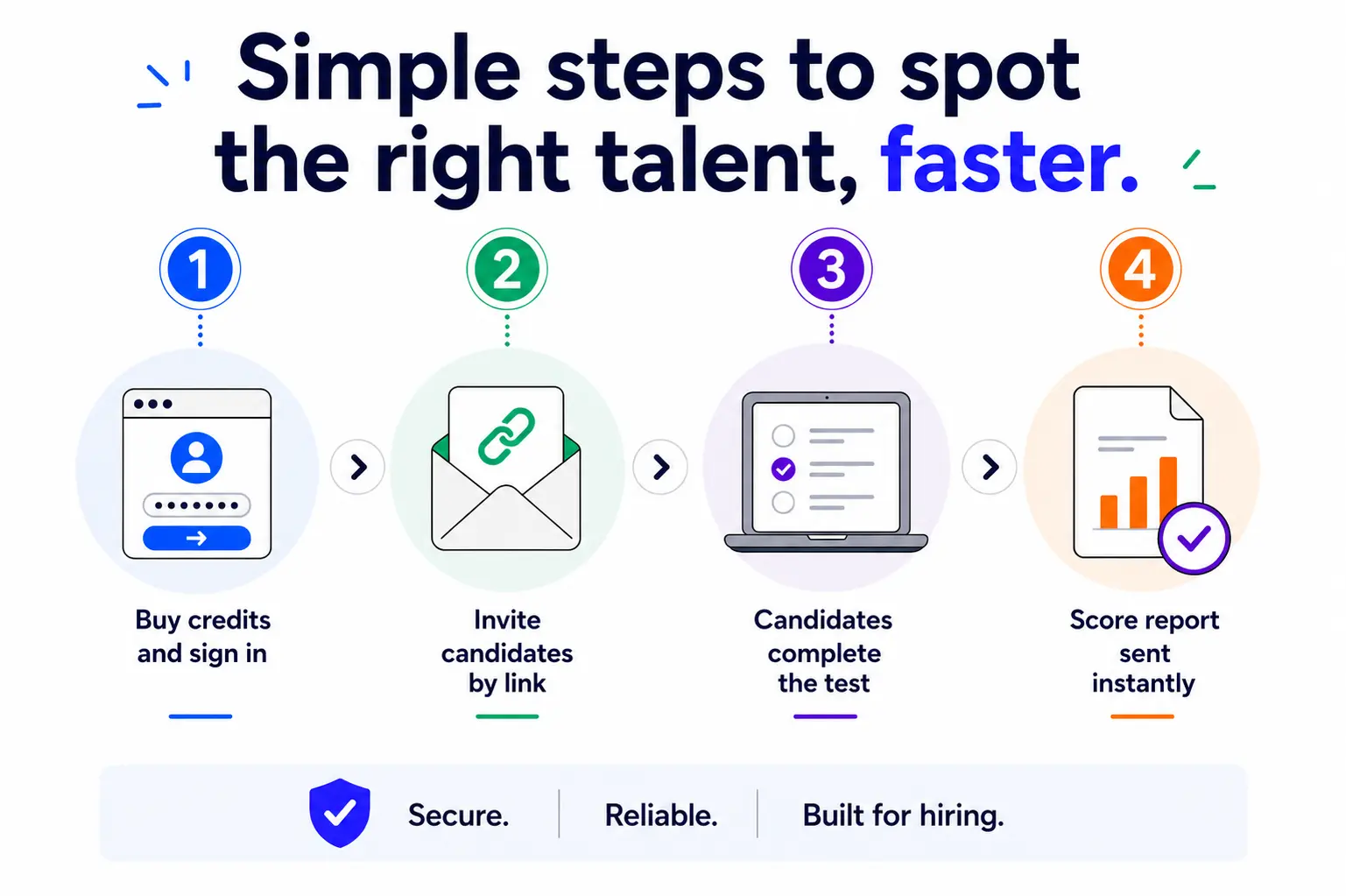
Here’s the flow from purchase to results.
Every candidate gets the same scenarios, so scores line up side by side. Results go only to you through your dashboard, which keeps your hiring decisions private.
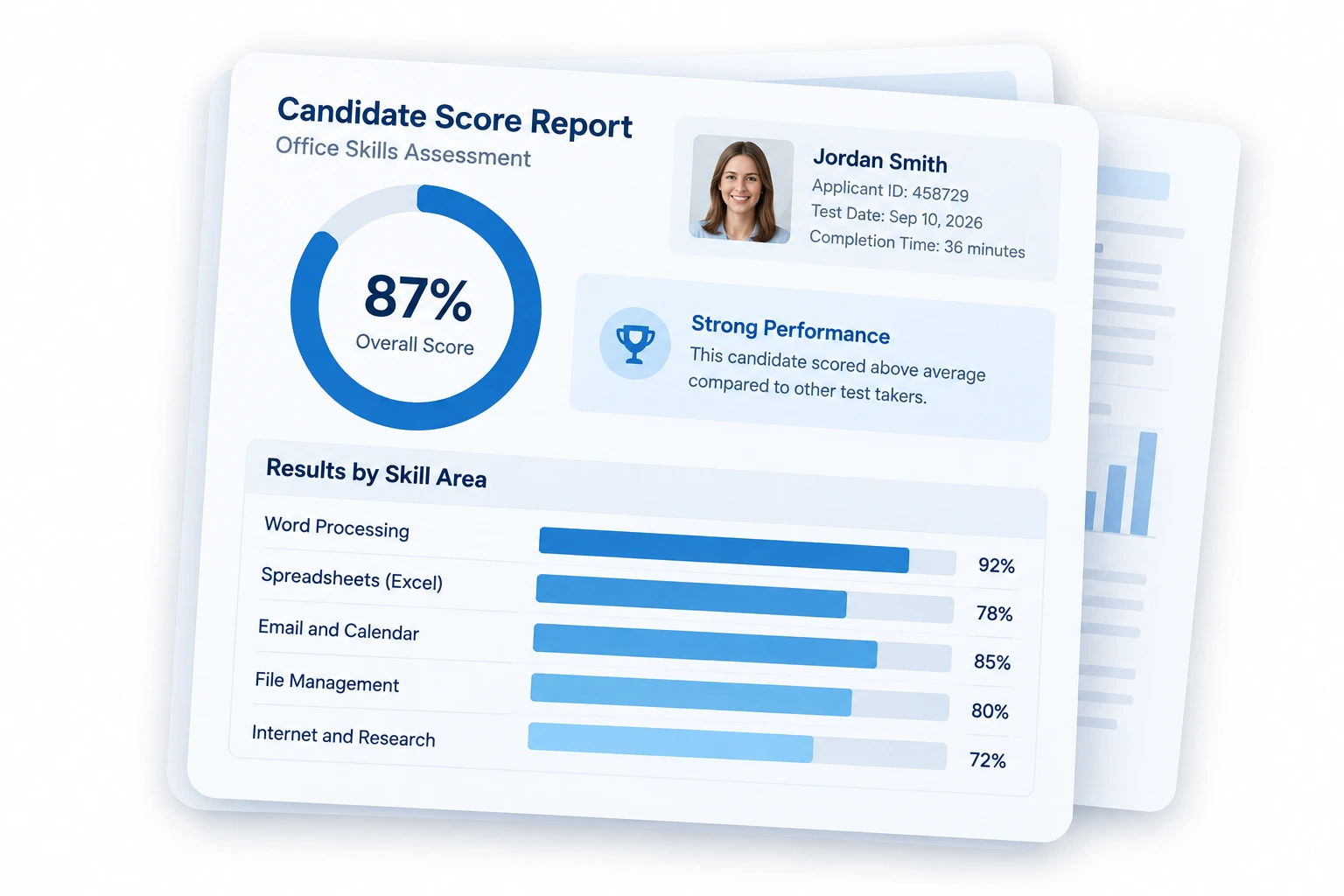
Every finished test produces a score report you can read in a couple of minutes. It includes:
The skill area view is the most useful part. A candidate who aces scheduling but misses every handoff question needs a different kind of coaching.
This test fits entry-level office jobs where the day rarely goes as planned:
The U.S. Bureau of Labor Statistics lists organizational skills among the key qualities for receptionists. O*NET tracks organizing, planning, and prioritizing work as a core office support activity.
That makes an organizational skills test a smart early step for front desk hiring.
Hiring for a front office position? Our guide on how to assess administrative assistant skills covers what else to check.

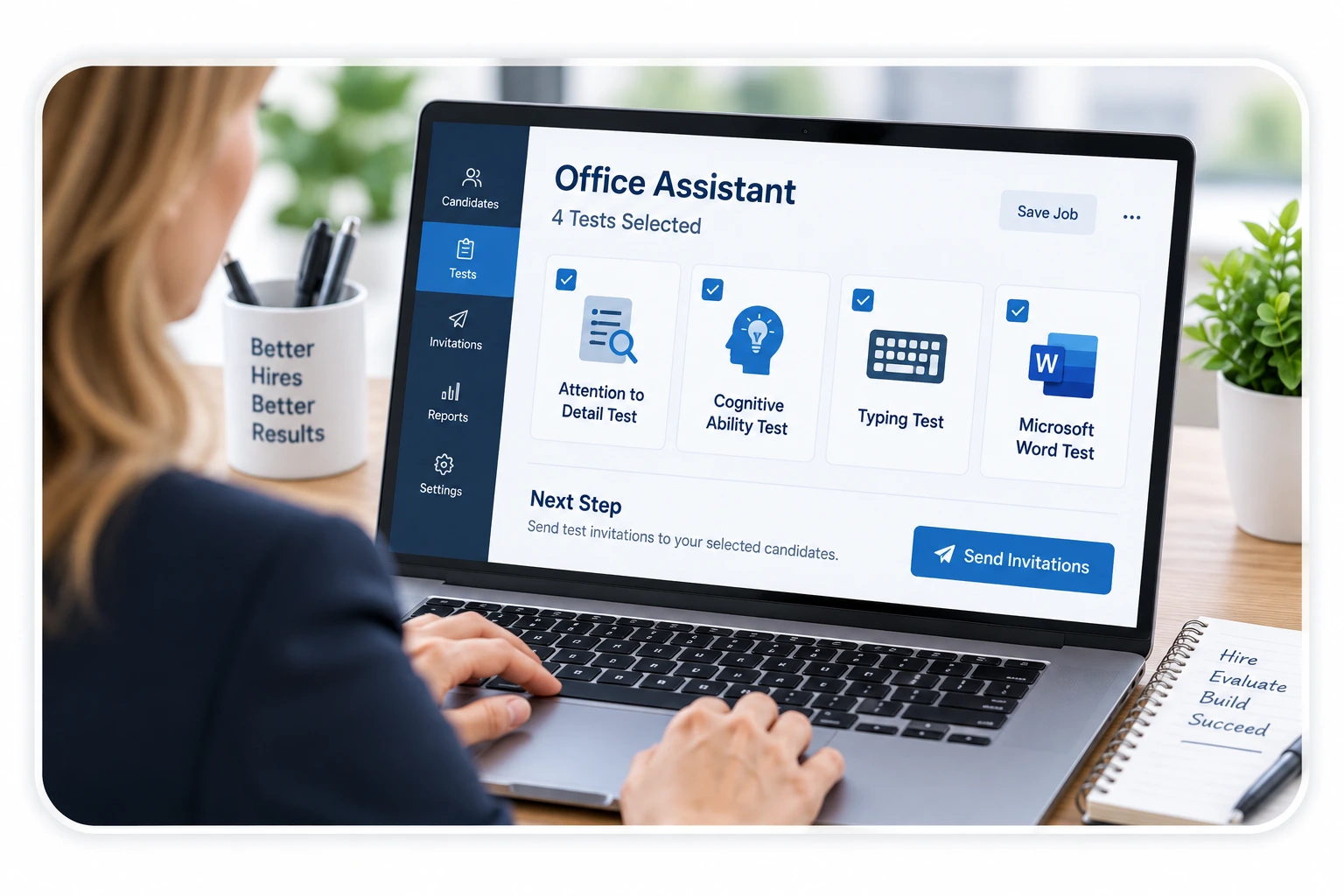
Picking the right task only helps if the work itself is accurate. The Attention to Detail Test is a strong partner, since it catches candidates who move fast and miss errors.
Here’s more on why an attention to detail skills test belongs in hiring.
The Cognitive Ability Test adds a view of how quickly someone learns new systems and rules.
For desk jobs heavy on email and documents, the Typing Test and the Microsoft Word Test fill in the rest. That mix works well as a full administrative assistant skills test package.
The test score tells you where to dig in terms of time management assessment in applicants. Look at the skill areas where a candidate scored lowest and build two or three interview questions around them.
Say a candidate missed the questions about deadline conflicts. Ask about a time two managers needed something on the same afternoon.
Listen for specifics. A strong answer names the deadline that couldn’t move and the person they told about the one that could.
If all you hear is “I just stayed late,” ask a follow-up about what they would change next time.

Start with one open front desk or office assistant position. Send the Multitasking Skills Test to your top applicants and compare how each one handles the same busy morning.
A candidate who handles those scenarios well is a safer bet for your front desk.




It measures how a candidate decides what to do first on a busy day. Questions cover urgent tasks, scheduling, deadlines, interruptions, handoffs, and speaking up about delays. Each one uses a realistic office scenario with a clear best answer.
It works best for entry-level office support hires. That includes administrative assistants, receptionists, front desk staff, office assistants, and scheduling coordinators. Any job where the phone and walk-in visitors compete for attention is a good fit.
A prioritization skills test asks candidates to make real choices, like which task to start first, and scores each choice against a keyed answer. Personality tests cover work style and behavior, so many employers use the two together for a fuller view.
Send it after your resume screen and before interviews. That way, you only spend interview time on candidates who handle priorities well, and you can use their weakest skill areas to shape your questions.
Scores go only to the employer through the EmployTest dashboard. That keeps results private and lets you decide how to use them alongside interviews and reference checks.
Pricing is simple and flexible as your needs change. Each test completed uses one test credit. (See pricing for credits)
Yes, just visit Try for Free to provide your information and we’ll send a free sample of the test you request.


