Typing Test for Employment helps you see whether candidates who say they can type fast actually can.
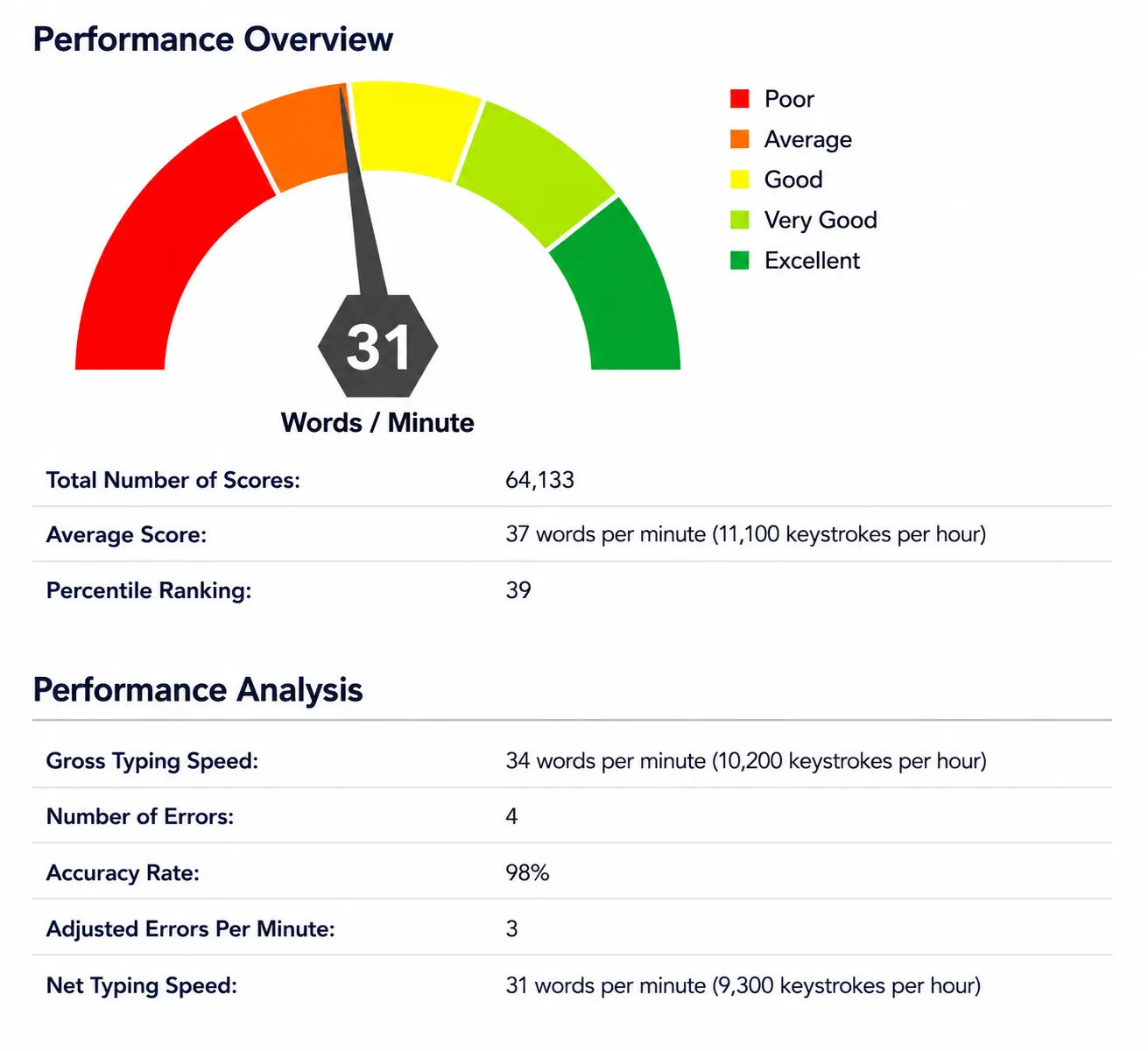
You get net words per minute (WPM), accuracy rate, and error count the moment a candidate finishes. No waiting. No guessing.
Research shows that poor data quality costs organizations an average of $12.9 million per year, and slow, inaccurate typing contributes to that problem from day one. Screen it before you hire.
EmployTest offers flexible per-test pricing for low to medium hiring volume, with no annual license or expensive contracts required.
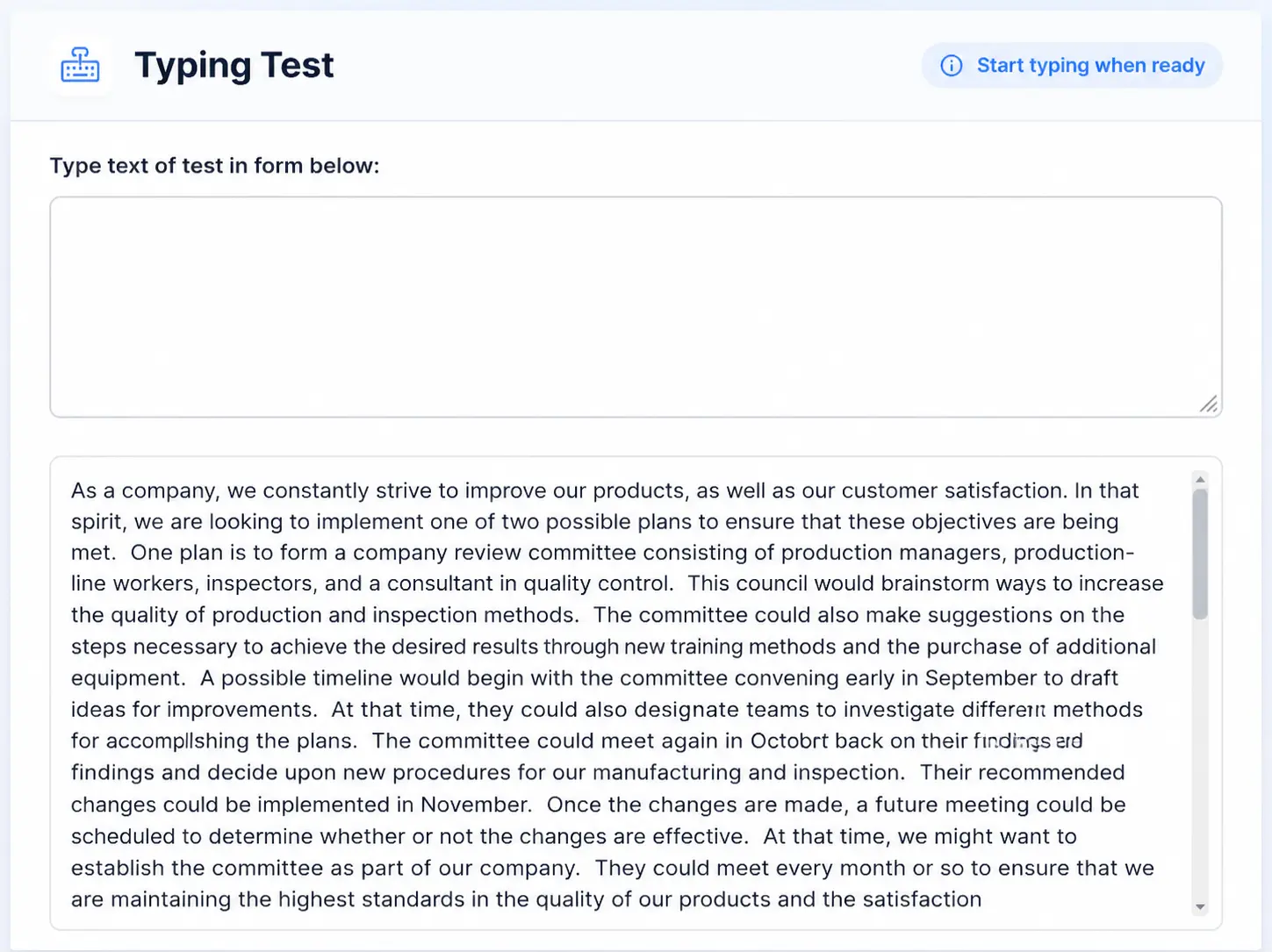








This pre-employment typing assessment gives candidates a paragraph to type directly on screen. It measures what actually matters on the job:
Words Per Minute (WPM): Gross and net speed, benchmarked against real job applicants in the EmployTest database.
Accuracy Rate: Every keystroke counts. Errors reduce the net score so you see true working speed, not just raw pace.
Error Count: Tracks specific mistakes so you can spot candidates who type fast but sacrifice accuracy.
Percentile Ranking: Each score is ranked against other test takers so you compare candidates on a fair, objective scale.
Every completed test delivers an instant score report. Here is what you get:
Reports go straight to your dashboard the moment the candidate finishes. This wpm test for job applicants gives you a number you can act on right away.
This online typing test for recruiters and HR teams works best when accurate, efficient typing is part of the job. Use it for:
Administrative assistants and executive assistants: handling correspondence and scheduling
Customer service reps: live chat, ticketing, and case notes require fast, clean typing
Medical records and health information staff: documentation accuracy directly affects patient care
Legal and compliance support: contracts, filings, and correspondence demand precision
Operations and logistics coordinators: orders, tracking, and reporting all run through a keyboard
Not sure how typing speed fits into a broader skill check? Read The Power of Typing Tests for Hiring to see how it fits into your screening process.

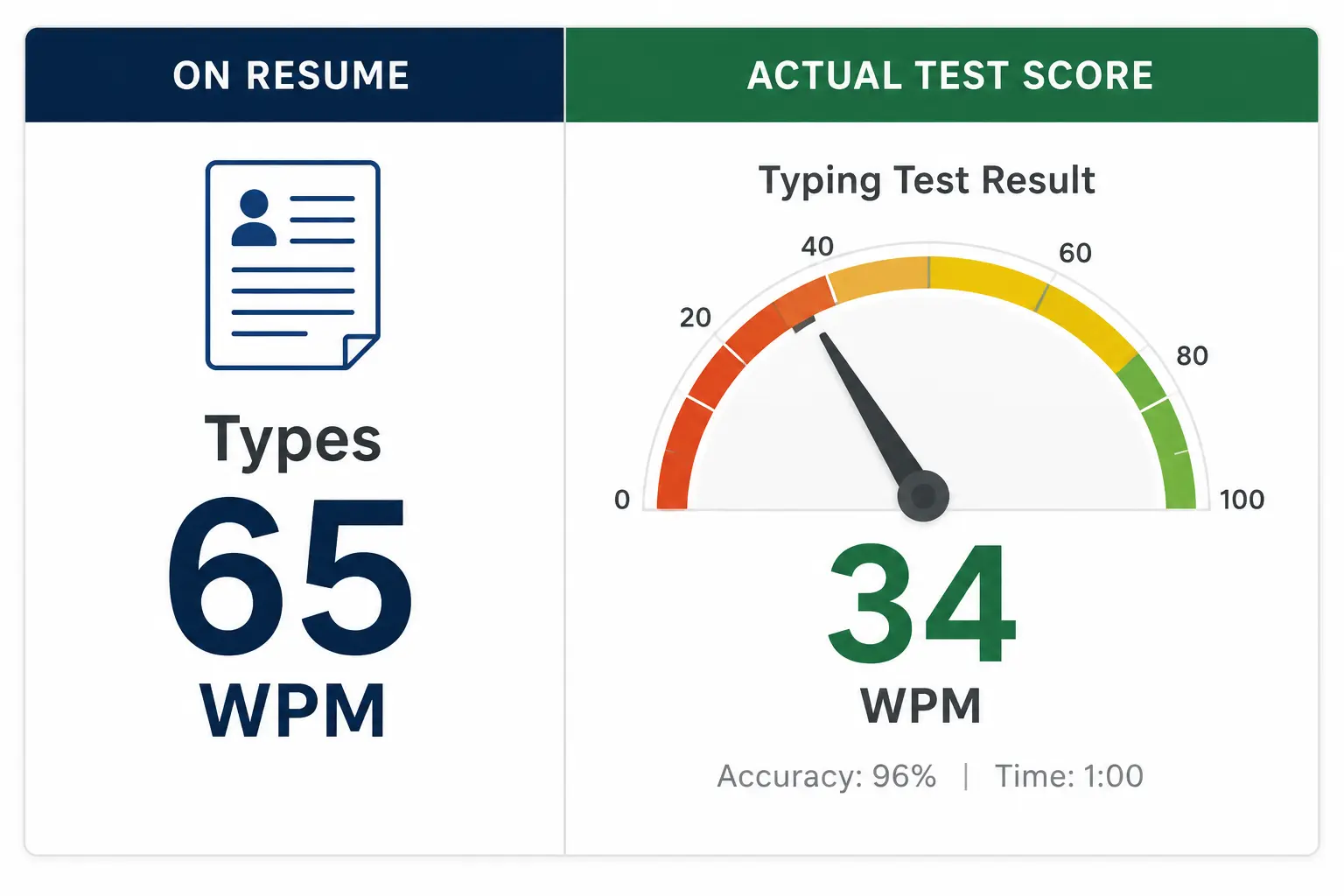
A resume says a candidate can type. A test shows you what they actually do.
According to SHRM’s Selection Assessment Methods report, work sample tests are among the strongest predictors of job performance. Typing is a direct work sample, candidates do the task, not describe it.
For roles where typing is a daily activity, a 20 WPM difference between two candidates can mean big gaps within the first week on the job.
Want to see how typing fits with other admin skills? Read Data Entry Skills Companies Should Look For for a fuller picture of what productive admin candidates need.

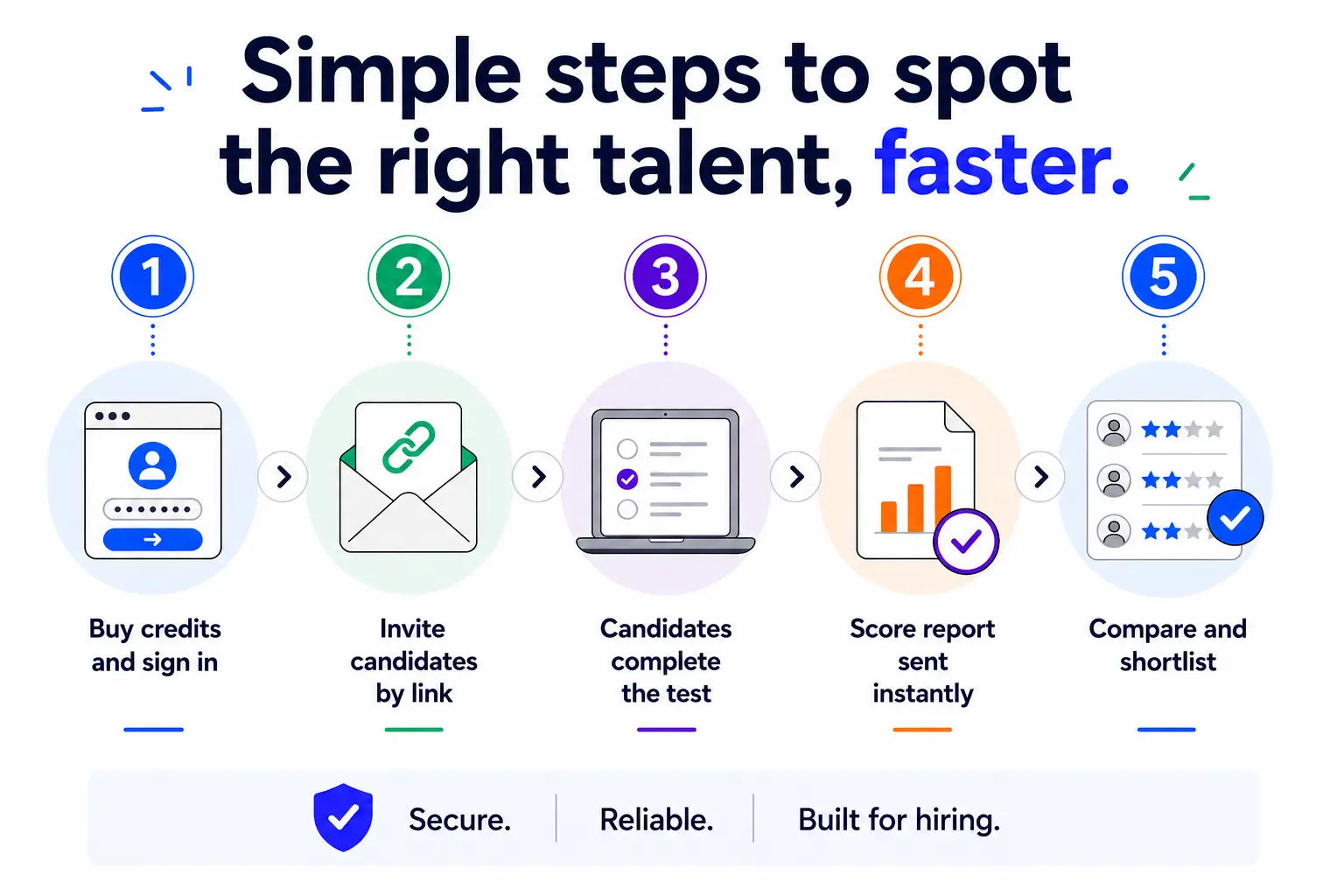
Getting started takes about two minutes:
Scores go only to you. Candidates never see their result, which keeps the process objective and fair.
Almost every applicant claims to type fast. The number on a resume has no way to verify.
A study published in the Journal of Applied Psychology found that applicants overestimate their own skill levels on self-reported assessments. Standardized testing closes that gap.
This Typing Test for employment puts every candidate in the same conditions. Same paragraph. Same timer. Objective results you can compare across your entire applicant pool.



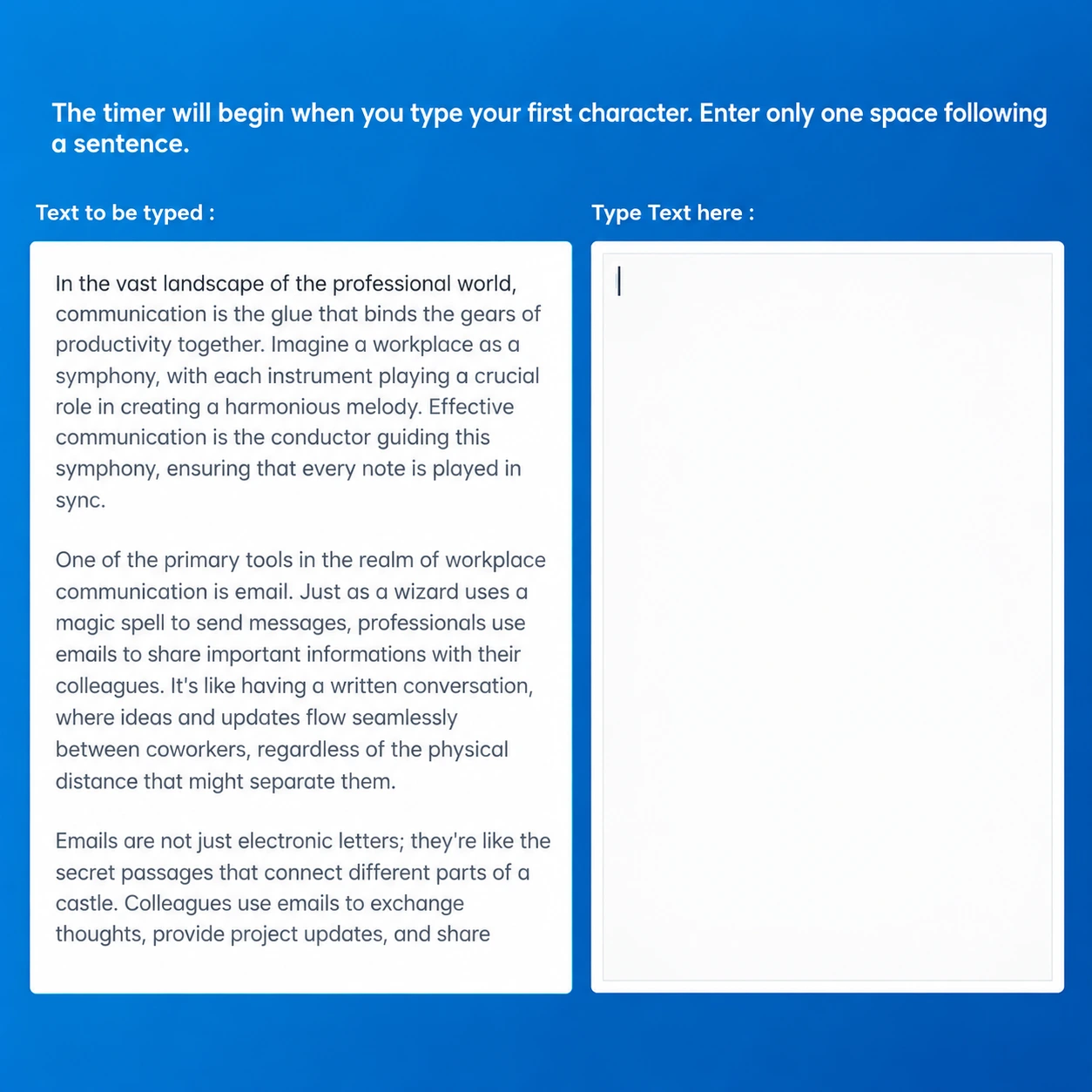
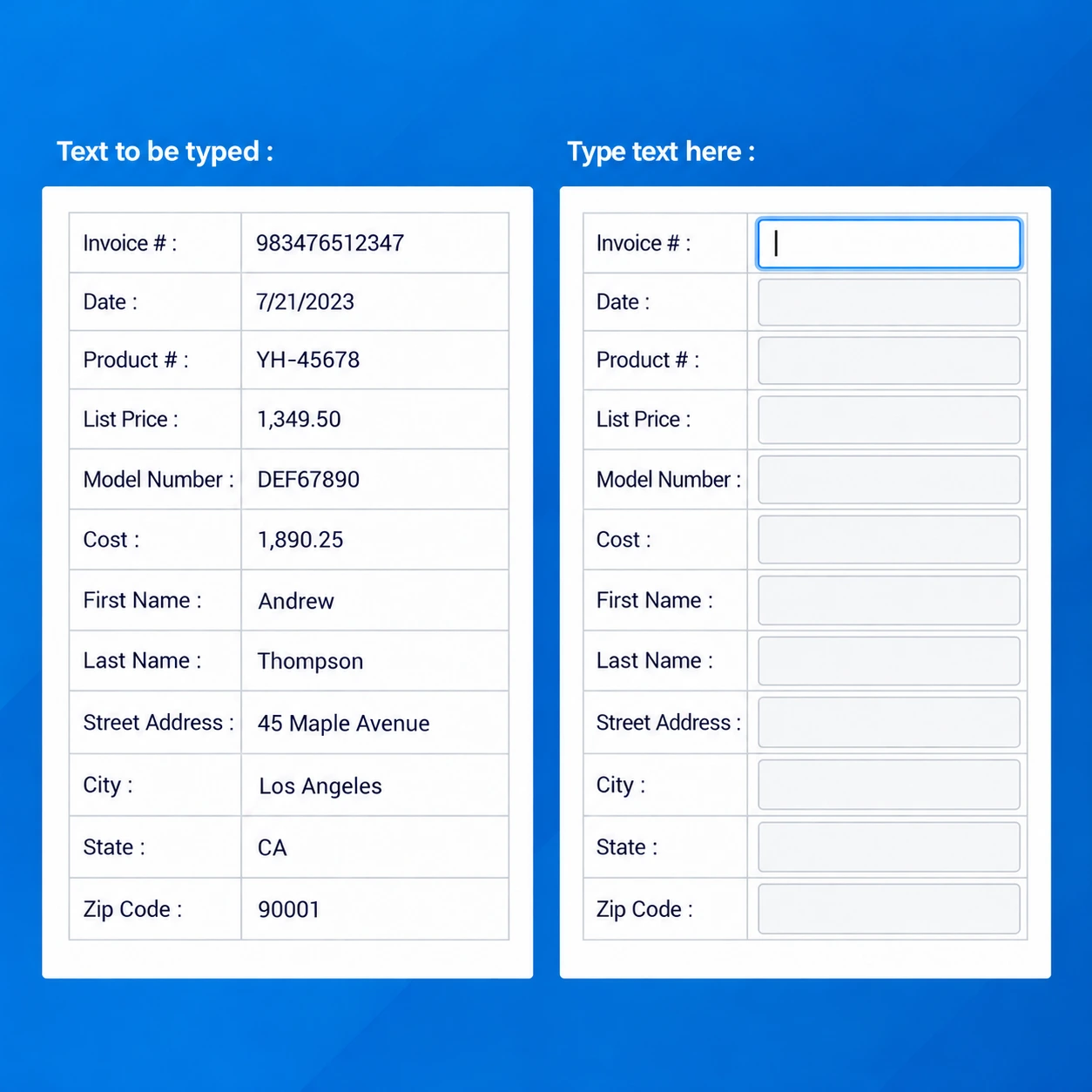
This test measures net words per minute (WPM), gross typing rate, keystrokes per hour, accuracy percentage, and total error count. Candidates type from an on-screen passage under timed conditions. Scores are benchmarked against real job applicants so you get a percentile ranking alongside the raw numbers. The report appears in your dashboard the moment the candidate finishes.
The benchmarks will vary, depending on the role. Admin work typically falls in the 40-60 WPM range with 90%+ accuracy. Data entry roles often call for 60+ WPM. Customer service and receptionist roles vary more widely. The EmployTest score report includes a percentile ranking that helps you compare candidates relative to others, not just against an arbitrary cutoff. See The Power of Typing Tests for Hiring for role-specific benchmarks.
The test takes approximately 3 to 5 minutes to complete. Candidates receive a timed passage and type it as accurately as possible. The test is self-administered and can be taken at a time that works for the candidate. Results are immediate.
Yes. The data entry typing test for employment measures keystrokes per hour alongside WPM and accuracy, which are the standard metrics for production-based data entry roles. For a fuller data entry screen, consider pairing this test with the Attention to Detail Test, which evaluates accuracy on number and name matching tasks.
For administrative and data entry roles, the Attention to Detail Test and Cognitive Ability Test pair well with typing speed data. For document-heavy roles, the Microsoft Word Skills Test adds important context. The right combination depends on the position. EmployTest offers over 100 assessments you can stack based on what the job actually requires.
Pricing is simple and flexible as your needs change. Each test completed uses one test credit. (See pricing for credits)
Yes, just visit Try for Free to provide your information and we’ll send a free sample of the test you request.