

EmployTest Logo

Data Entry Test for Employment

A data entry test for employment shows you how a candidate performs before you extend an offer. Resumes list software names and self-reported typing speeds, but only a timed, realistic task confirms whether those numbers hold up. 

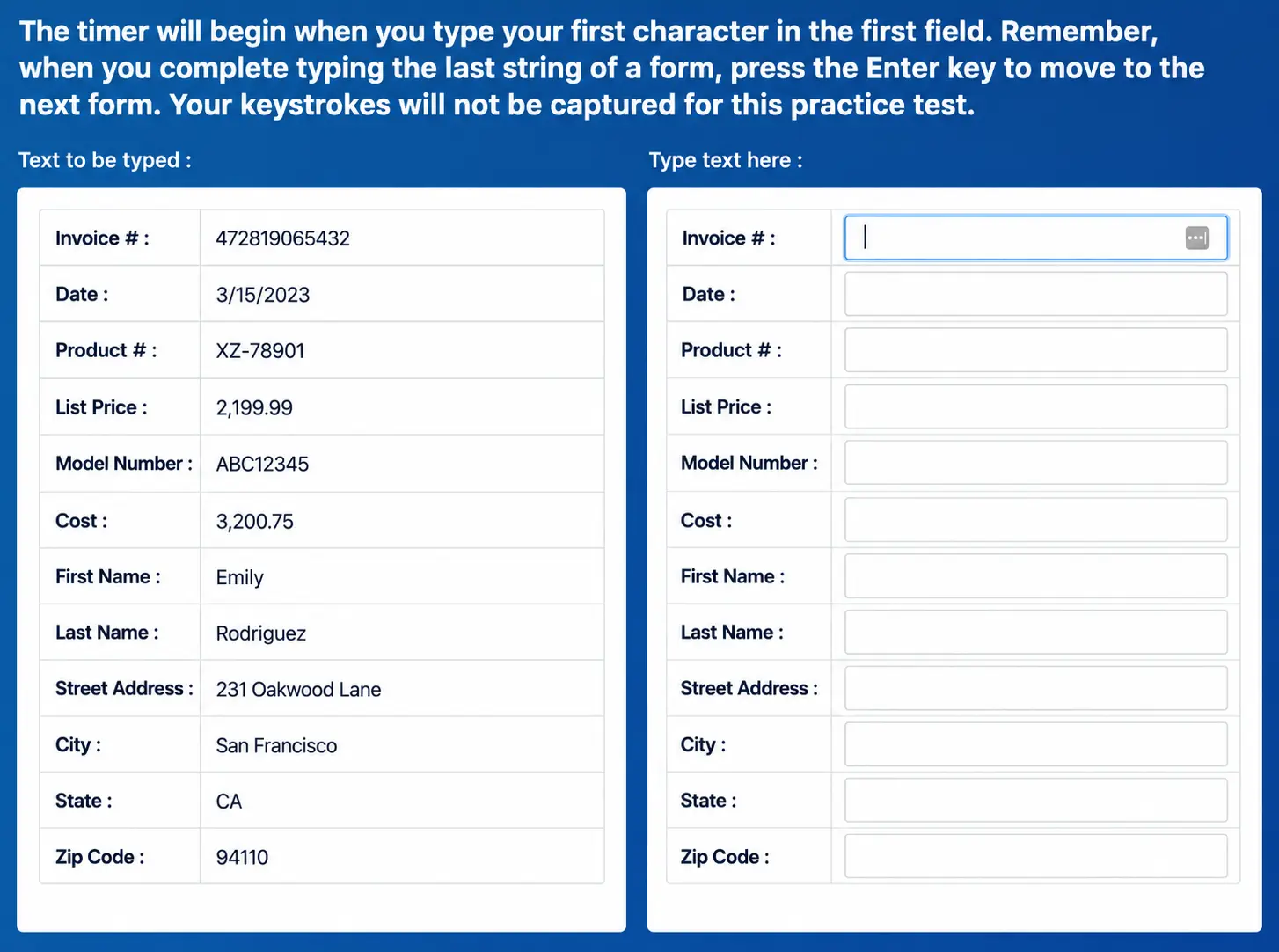
Candidates enter names, addresses, invoice numbers, and other everyday business data into short forms, just as they would on day 1. You get a full view of speed, accuracy, and consistency in minutes, sent straight to your dashboard the moment the candidate finishes.

Flexible per-test pricing for low to medium hiring volume, with no annual license or expensive contracts required, means you can screen one job position or an entire department.

Why Accuracy Matters More Than Speed Claims

A resume can say “fast and accurate,” but interviews rarely show what that means in practice. A single wrong invoice number, mistyped address, or transposed price can turn into hours of cleanup work for your team. 

Structured pre-employment testing gives HR teams a standardized way to compare candidates on the same task, using the same data, under the same time limit. 

Skills assessments now carry real weight in hiring: SHRM research found that 79 percent of HR professionals rate assessment scores as equal to or more important than traditional screening criteria like resumes and interviews.

HR manager reviewing candidate data entry accuracy results.

What the Data Entry Test Covers

The test places candidates inside realistic order forms, invoices, and contact records, then asks them to key in the matching data exactly as shown. It tracks gross keystrokes per hour, net keystrokes per hour with errors removed, and accuracy across every field completed. 

This mirrors real data entry work, where speed only matters if the information lands correctly. 

To see why typing tests matter for hiring across other jobs, check out our deeper look at speed and accuracy testing. 

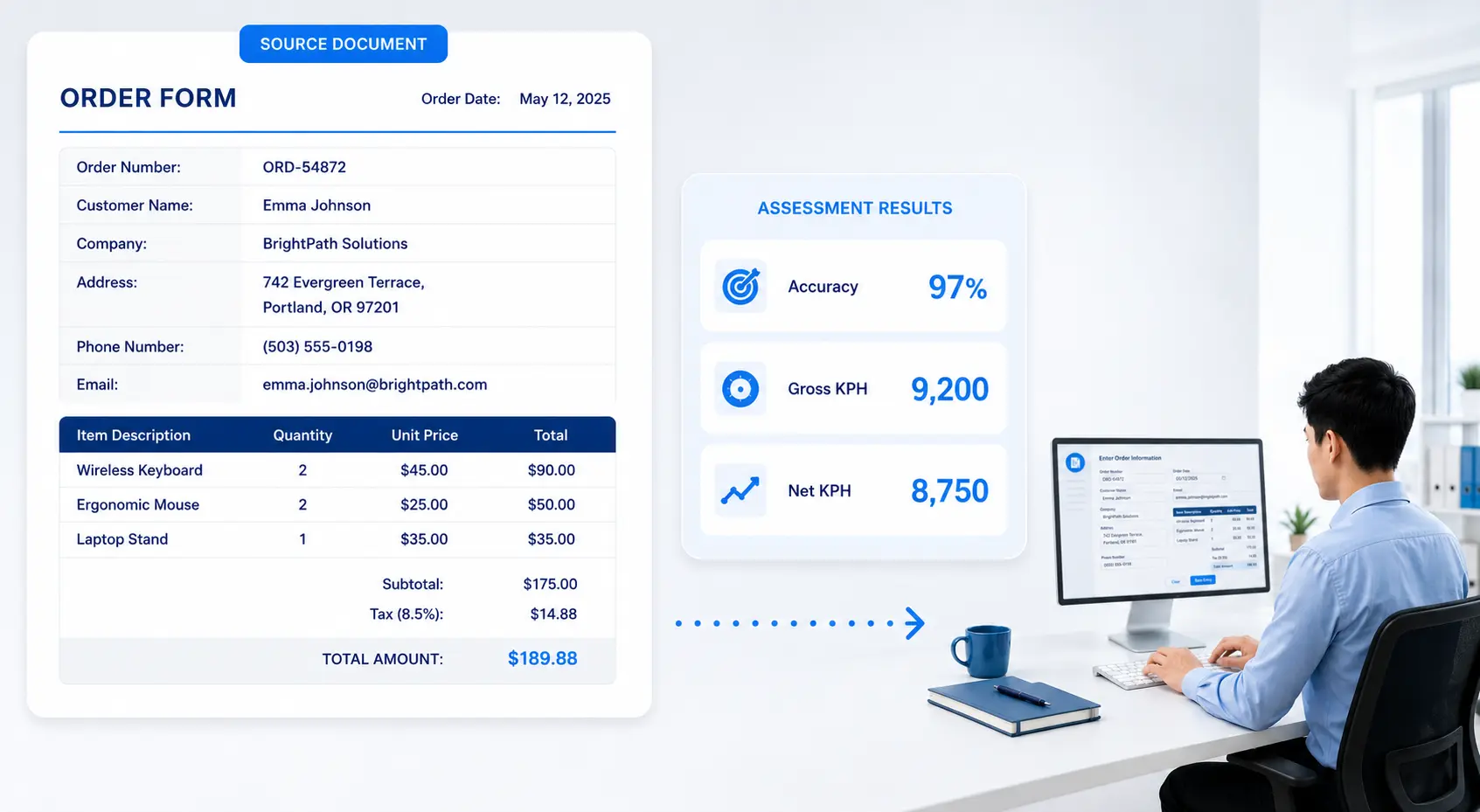
Office employee completing a realistic data entry test using order forms and invoices, with results showing typing speed, net keystrokes per hour, and 97% accuracy.

What Your Score Report Includes

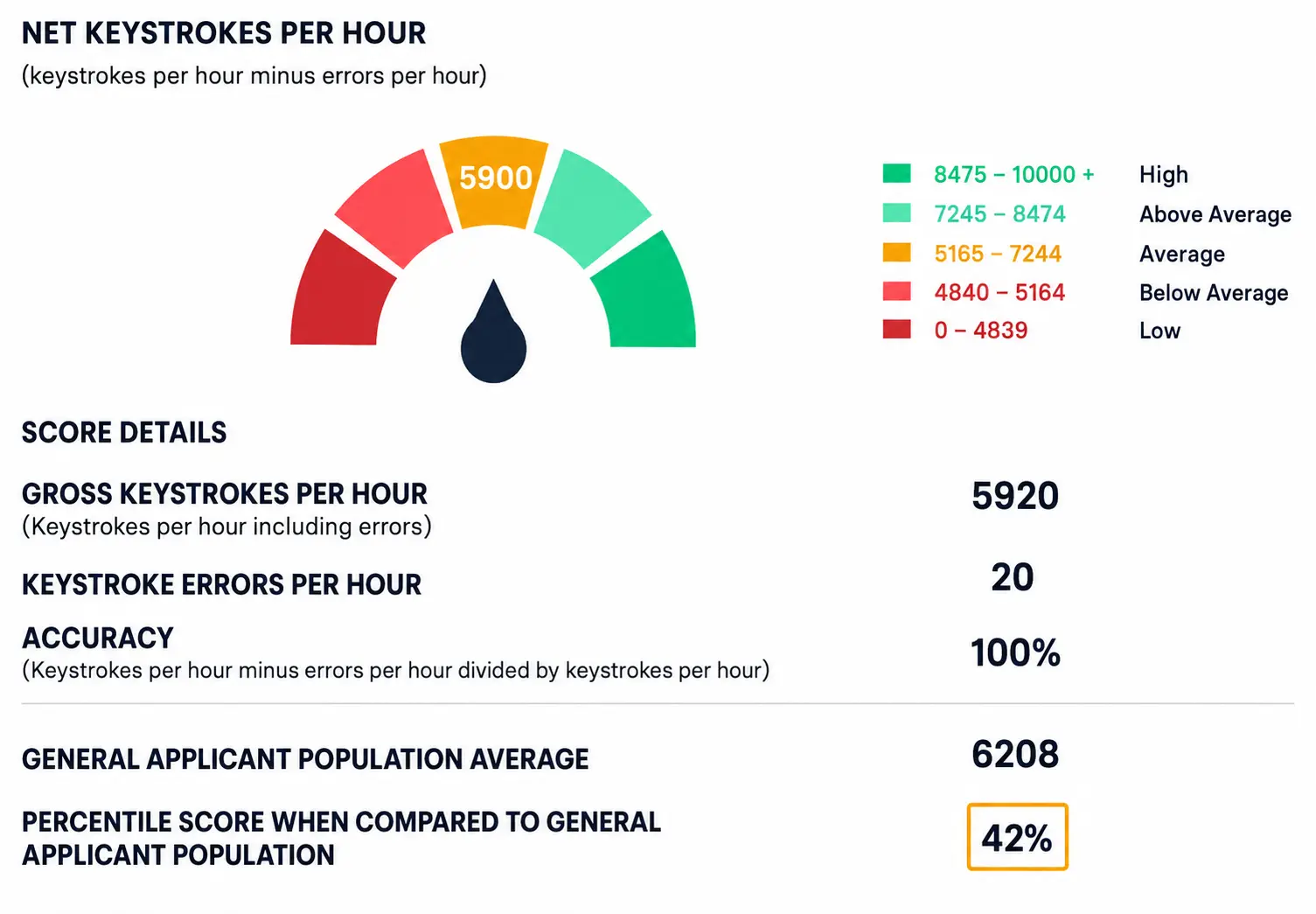
Every completed test generates a score report you can review right away. The report centers on net keystrokes per hour, the candidate’s typing output after subtracting errors, shown against a full range from Low to High performance. 

You also get a breakdown of gross keystrokes, error count, and overall accuracy percentage.

A percentile ranking compares the candidate against your full applicant pool, and a field-by-field comparison shows exactly which entries matched the source data and which ones didn’t.

Who Should Take the Data Entry Test

This test works well for any jobs built around accurate, high-volume typing. That includes administrative assistants, records coordinators, customer support reps who log call details, and office coordinators who process orders or invoices daily. 

O*NET lists perceptual speed and selective attention among the core abilities for data entry work, and this test measures both directly. For a broader view of what these positions need day-to-day, see our guide to essential clerical skills. Healthcare offices and finance teams use it forjob positions that touch patient intake forms, invoices, or billing records.

Administrative, healthcare, and finance staff who use data entry tests.

Simulated Forms Give You a Real Skills Picture

This test replaces multiple-choice questions with real data-entry tasks, so you watch candidates enter actual business data under time pressure, the same way they would on the job. 

SHRM has reported that a poor hiring decision creates costs that extend well past the recruiting budget, covering lost productivity, team disruption, and the expense of starting a search over. 

A short, realistic screen upfront helps you catch accuracy issues before they become expensive ones.

Work sample data entry test compared to a multiple choice quiz.

How It Works

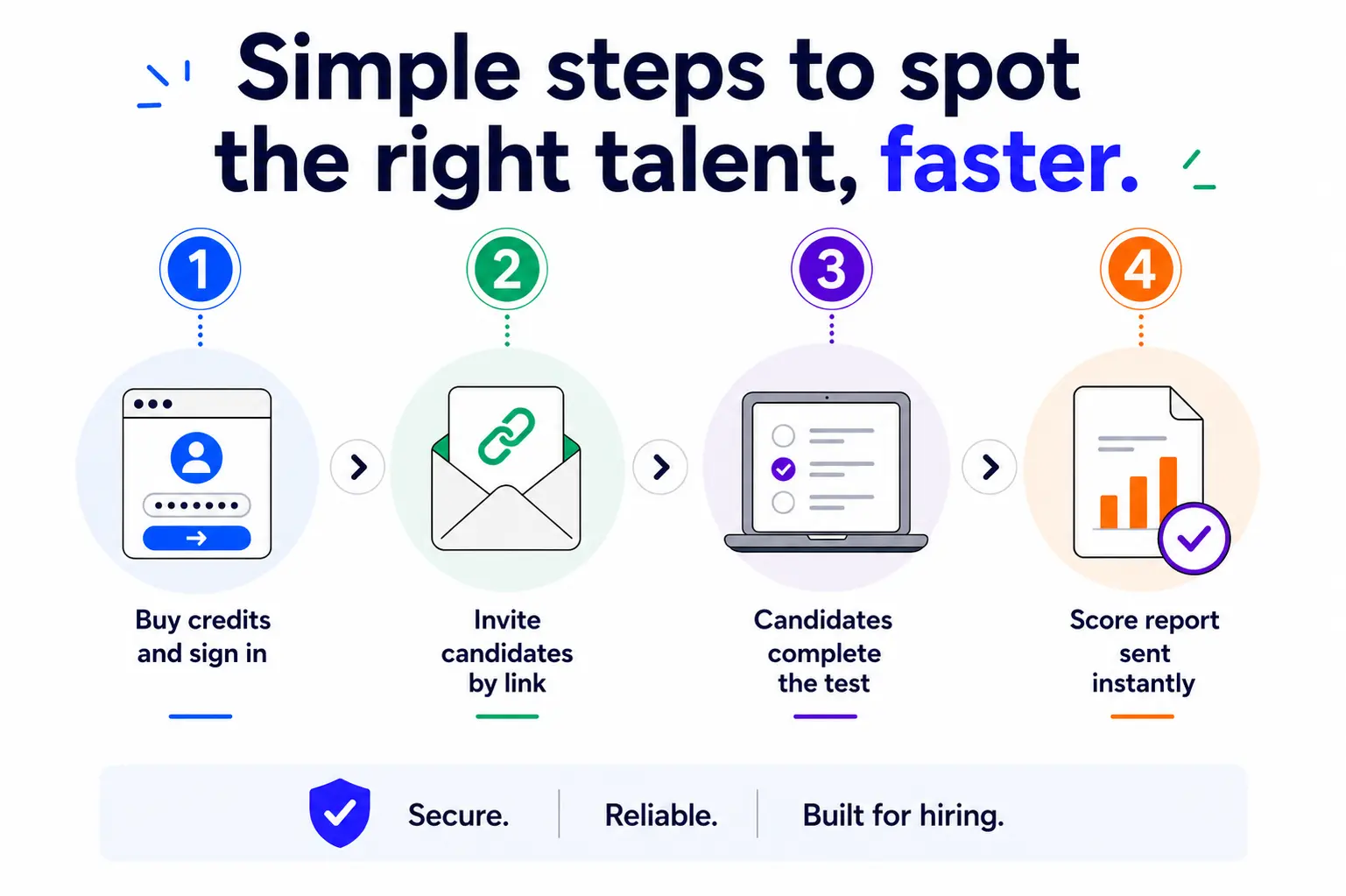
  • Buy test credits and sign in to your dashboard
  • Send the Data Entry Test link to each candidate by email
  • Candidates complete short, timed data entry forms on their own schedule
  • Your score report lands in your dashboard the moment testing ends
  • Compare results across every candidate right away
Four steps to run the Pre-Employment Test on EmployTest: buy credits, sign in, choose test, invite candidate and get results.

Pair This Test With Other Assessments

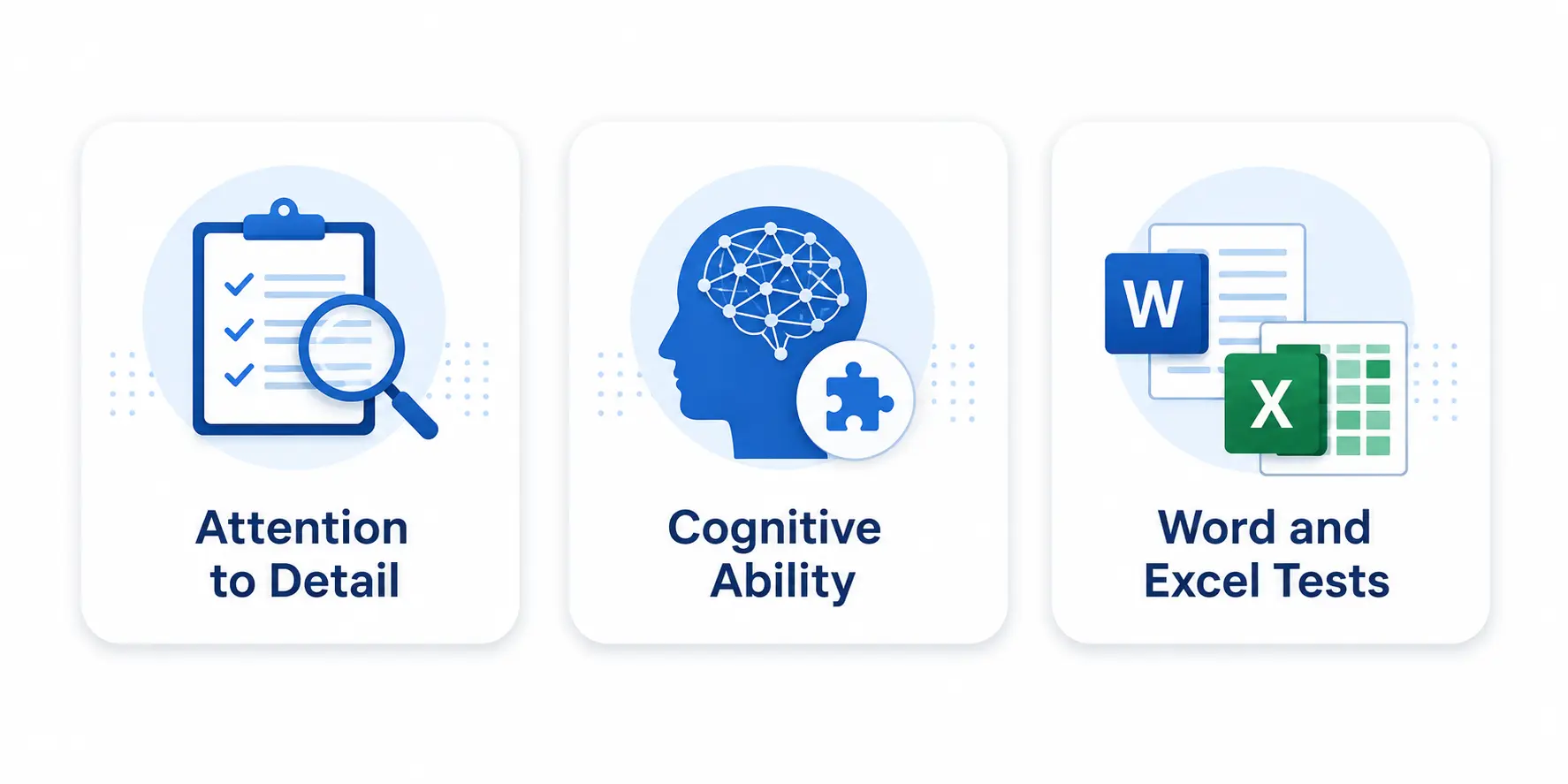
Data entry accuracy tells you how a candidate handles repetitive detail work, and it’s one part of a full picture of what each applicant can do. Pairing this test with an Attention to Detail Test to see how candidates spot mistakes over a longer task. 

Add a Cognitive Ability Test to see how fast someone learns new software. If the job involves Excel, a Word and Excel Test rounds out the screening process.

Attention to Detail, Cognitive Ability, and Word and Excel test icons.

Frequently Asked Questions

What does the Data Entry Test measure?

The test measures how accurately and quickly a candidate can enter real business data, including names, addresses, invoice numbers, and prices, into short digital forms. Your score report breaks results into net keystrokes per hour, gross keystrokes per hour, accuracy percentage, and a percentile rank against your applicant pool.

Who should take this test?

This test is for jobs where accuracy matters most: administrative assistants, records coordinators, billing and invoicing positions, and customer support reps who log call or order details. 

Healthcare offices and finance teams use it a lot, since one wrong entry can cause real problems.

How is the score report structured?

Your report centers on net keystrokes per hour, the candidate’s typing speed after subtracting errors, along with gross keystrokes, accuracy percentage, and a percentile ranking against your full applicant pool. A field-by-field comparison shows exactly which entries matched the source data.

Can I compare candidates across different job openings?

Yes. Every candidate’s percentile score compares against your full applicant pool, not just people applying for one specific position. This lets you benchmark a new candidate against strong performers you’ve already tested, even across different positions.

How long does the test take to complete?

Testing time is short by design. The sample score report shows a candidate completing four data-entry forms in about three minutes, giving you a fast read on speed and accuracy without a long testing session.

How much does this cost?

Pricing is simple and flexible as your needs change. Each test completed uses one test credit. (See pricing for credits)

Can I get a free sample before I purchase?

Yes, just visit Try for Free to provide your information and we’ll send a free sample of the test you request.

How it Works

Wicon 1
BUY TEST CREDITS
Wicon 2
SIGN INTO DASHBOARD
Wicon 3
CHOOSE TESTS
Wicon 4
EMAIL TEST SESSIONS